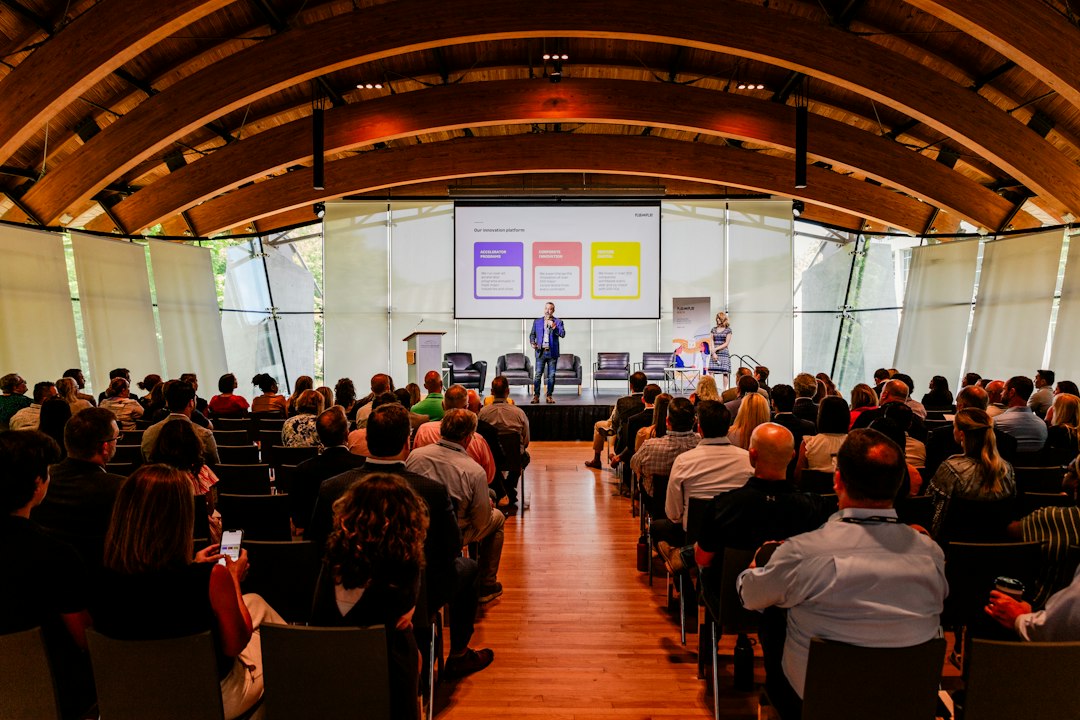
A conference timeline isn't a decorative schedule you build the week before the event. It's a working document that decides who does what, when money gets spent, and whether your keynote speaker shows up to a room with a broken projector. If you're planning a conference and want a timeline that actually holds up under pressure, you're in the right place.
Here's the short version: start earlier than feels reasonable, work backward from the event date, assign an owner to every single task, and build in buffer time you hope you'll never need. The rest of this article walks through the specifics—milestones, tools, communication rhythms, and the mistakes that turn a manageable event into a fire drill.
What a Conference Timeline Actually Is (And What It Isn't)
People use "timeline" to mean two different things, and mixing them up causes real problems.
The first is a public-facing schedule: the grid of sessions, breaks, and keynotes attendees see on your website or app. It's marketing. It tells people what they're getting for their registration fee.
The second is an internal planning timeline: a chronological list of everything that has to happen between "we're doing this" and "the venue's cleaned up." This includes booking the venue, signing speaker contracts, ordering badges, testing AV equipment, and confirming the caterer's headcount. This is the timeline that determines whether the event succeeds or becomes a cautionary tale.
You need both. But the internal planning timeline comes first, and it drives everything else. If you build the public schedule before you've locked your speakers and venue, you're writing checks your logistics can't cash.
An interactive project timeline works differently from a static spreadsheet. It's a way of organizing tasks in chronological order, often with dependencies and owners attached, so you can see at a glance what's blocking what. The Digital Knowledge Center describes it as organizing information in sequence, combining text, media, and interactive elements. For conference planning, that means a living document your whole team can reference and update—not a PDF that gets stale the moment you export it.
Start With the Anchor Date, Then Work Backward
Every conference timeline has one fixed point: the event date. Everything else is negotiable.
Work backward from that date in phases. Here's a rough framework that works for most events, whether you're planning a 200-person industry meetup or a 3,000-person annual summit.
12+ Months Out
- Lock the event date and venue. Venues book up fast for popular seasons, and you don't want to be negotiating in a panic.
- Set your budget. Know your total spend before you start committing to vendors.
- Define the event's purpose in one sentence. "Networking for mid-career designers" is a purpose. "A conference" is not.
- Assemble your core team. Even if it's three people, know who owns what.
9–12 Months Out
- Open the call for speakers or finalize your speaker lineup. If you're inviting specific people, start now—popular speakers get booked early.
- Draft your sponsor prospectus if you're seeking sponsorships.
- Choose your registration platform and ticketing tiers.
- Book any secondary vendors: caterers, AV companies, photographers, swag suppliers.
6–9 Months Out
- Launch registration. Early-bird pricing works because it creates urgency and gives you cash flow.
- Confirm all speakers and collect their bios, headshots, and session descriptions.
- Build the public-facing schedule (draft version).
- Book travel and accommodation blocks for speakers and staff.
3–6 Months Out
- Finalize the schedule.
- Order badges, lanyards, signage, and printed materials.
- Plan your marketing push: email sequences, social media, partner promotions.
- Test your AV setup and streaming setup if you're going hybrid.
1–3 Months Out
- Confirm final headcount with the caterer.
- Run a full rehearsal of the event day flow.
- Brief volunteers and staff on their roles.
- Send attendees a "what to expect" email with logistics, parking, and schedule.
Week Of
- Final venue walkthrough.
- Test all equipment.
- Print backup copies of everything.
- Have a printed contact list of every vendor, speaker, and staff member.
This looks obvious on paper. In practice, most conferences blow past these deadlines because nobody assigned ownership. That's the next problem to solve.
Assign an Owner to Every Task—No Exceptions
A timeline without owners is just a wish list.
Every item on your conference timeline needs one person's name next to it. Not a department. Not "the team." A person. If two people own a task, nobody owns it. This is one of those truths that sounds like a cliché until you watch a registration desk sit empty because everyone assumed someone else was handling it.
Here's how to make ownership stick:
- Use a RACI model (Responsible, Accountable, Consulted, Informed) if your team is big enough. For smaller teams, just list one owner and one backup.
- Set internal deadlines two weeks before the real deadline. If badges need to be ordered by June 1, your internal deadline is May 15. This gives you buffer when the vendor inevitably has a delay.
- Review ownership weekly. People leave, priorities shift, and tasks slip. A 15-minute weekly check-in catches problems before they become crises.
- Make the timeline visible. If it lives in one person's spreadsheet, it's not a team timeline. It's a secret.
A project manager I know once told me her rule: "If I can't name the person who's doing it, it's not going to happen." She's been right every time.
Build In Dependencies (And Know Which Ones Matter Most)
Some tasks can't start until others finish. You can't print badges until you've finalized the attendee list. You can't finalize the schedule until speakers confirm. You can't announce the schedule until it's actually final.
These are dependencies, and they're where timelines break. The trick is to identify them early and give them extra breathing room.
The Three Dependencies That Kill Conferences
- Speaker confirmations → schedule finalization → marketing launch. If speakers are slow to confirm, your entire marketing plan delays. Give speakers a firm deadline, and have backup speakers in mind.
- Venue contract → vendor bookings → budget finalization. You can't book a caterer until you know the venue's kitchen rules. You can't set your budget until you know the venue cost. Lock the venue first, always.
- Registration numbers → catering headcount → printed materials. Caterers need final numbers 5–7 days out. Printers need 2–3 weeks. If registration is slower than expected, you're making guesses. Build a buffer into your catering numbers—usually 5–10% over your current registration count.
The best way to manage dependencies? Visualize them. A timeline that shows tasks in sequence—with clear markers for what blocks what—makes these bottlenecks obvious. That's where a tool like Timeline Creator can help, especially if you're coordinating across multiple teams or want a shareable view that non-planners can actually read. But even a whiteboard with sticky notes works if everyone can see it.
The Seven Planning Mistakes That Wreck Conference Timelines
I've seen these play out at events of every size. They're not exotic problems. They're the basics, and they're the ones people skip.
1. Starting Too Late
The single biggest predictor of a stressful conference is how early you started planning. If your timeline begins three months before the event, you're already behind. Big venues, good speakers, and reliable vendors get booked months in advance.
2. No Buffer Time
If every task is scheduled to finish exactly on its deadline, you have no room for error. Add 20–30% padding to every major milestone. You'll need it.
3. Forgetting the Unsexy Stuff
Badge printing. Lanyards. Signage. Name tents. Power strips. Extension cords. Trash bins. These are the details that seem trivial until they're missing. Put them on the timeline with owners and deadlines.
4. No Single Source of Truth
If half your team is using a spreadsheet, one person is using a notebook, and another is tracking things in their head, you don't have a timeline. You have chaos with optimistic branding. Pick one tool, one document, one place where the schedule lives.
5. Skipping the Contingency Plan
What happens if a speaker cancels the morning of? What if the venue's Wi-Fi dies during a livestream? What if the caterer shows up with the wrong headcount? You don't need a plan for every disaster, but you need to know who's in charge when things go wrong.
6. Ignoring the Attendee Experience
Your timeline should include attendee touchpoints: the confirmation email, the reminder email, the "here's what to expect" email, the post-event survey. These aren't afterthoughts. They're part of the event.
7. Not Reviewing and Adjusting
A timeline you build once and never look at again is just a historical document. Review it weekly. Update it when things change. The plan will change—that's normal.
Creating a Communication Rhythm Around the Timeline
A conference timeline doesn't run itself. It needs a communication structure to stay on track.
Weekly Team Check-Ins
Fifteen minutes, same time every week. Each owner reports: what's done, what's blocked, what's next. If something's blocked, you solve it in the meeting. No lengthy status reports—just the essentials.
Biweekly Stakeholder Updates
If you have sponsors, executives, or other stakeholders, send a short update every two weeks. Include what's on track, what's at risk, and what you need from them. This prevents the "why didn't anyone tell me?" conversation later.
A Shared Dashboard
Everyone should be able to see the timeline without asking for an update. Whether that's a shared spreadsheet, a project management tool, or an interactive timeline, the key is accessibility. If people have to ask "where are we?" you've already lost time.
Escalation Path
Know who to call when something goes wrong. If the venue cancels, who handles it? If a vendor no-shows, who's the backup contact? Write this down before you need it.
The Two-Week Mark: Your Final Checklist
Two weeks before the event, your timeline should shift from planning mode to execution mode. This is when you stop adding and start confirming.
Here's what to verify in those final two weeks:
- Speaker logistics: Flights booked? Hotel confirmed? AV requirements received? Presentation slides submitted?
- Venue readiness: Room layouts confirmed? Signage printed? Wi-Fi tested? Accessibility accommodations in place?
- Catering: Final headcount submitted? Dietary restrictions accounted for? Serving times confirmed?
- Registration: Badges printed? Check-in process tested? Backup check-in system in place?
- Marketing: Final reminder emails scheduled? Social media posts queued? Press releases sent?
- Staffing: Volunteer schedules confirmed? Staff briefed on roles? Emergency contacts distributed?
- Technology: AV equipment tested? Backup laptops ready? Live stream tested (if applicable)?
- Materials: Printed schedules? Signage? Swag bags? Name tents?
Run through this list with your team. Anything that's not checked off gets a name and a deadline—today.
When a Visual Timeline Actually Helps
For small events, a spreadsheet is fine. But once you're coordinating more than a handful of people, a visual timeline makes a difference. Not because it's prettier—because it's clearer.
A visual timeline lets you see dependencies, spot bottlenecks, and share progress with people who don't want to read a 40-row spreadsheet. It turns "here's a list of dates" into "here's how the whole thing fits together."
If you're planning a multi-day conference with parallel tracks, multiple vendors, and a team scattered across time zones, a tool built for this—like Timeline Creator—can save you from the endless back-and-forth of "which version of the schedule is current?" The platform supports real-time collaboration, so your team can edit and comment in one place instead of emailing updated spreadsheets back and forth. It also handles media attachments, which is useful when you're collecting speaker headshots, venue photos, or sponsor logos.
That said, the tool doesn't matter as much as the habit. A beautifully designed timeline that nobody updates is worse than a messy spreadsheet everyone actually uses.
FAQ: Common Conference Timeline Questions
How far in advance should I start planning a conference?
For a first-time event, 9–12 months is a reasonable minimum. For larger events (1,000+ attendees) or events with high-profile speakers, 12–18 months is safer. If you're planning something small—under 100 people—3–6 months can work, but you'll have fewer options for venues and vendors.
What's the most common timeline mistake?
Starting too late and not assigning owners. Most planning failures trace back to one of those two problems. If you fix nothing else, fix those.
Should I use a spreadsheet or a dedicated tool?
Start with whatever your team will actually use. A spreadsheet is fine for small teams. Once you're coordinating across departments or need to share the timeline with stakeholders, a dedicated tool or an interactive timeline saves time and reduces confusion.
How do I handle last-minute changes?
Build buffer time into your schedule and have a contingency plan for your critical path items (venue, speakers, catering, AV). When something changes, update the timeline immediately and tell everyone affected. The worst thing you can do is let outdated information circulate.
Your Next Step
Pick a date. Write it at the top of a page. Then work backward, listing every task that has to happen before that date. Assign an owner to each one. Set internal deadlines two weeks before the real ones. Review it weekly.
That's it. That's the whole system.
The conferences that run smoothly aren't the ones with the most elaborate planning documents. They're the ones where someone started early, wrote things down, and made sure the right people knew what they were responsible for. You don't need perfect. You need clear, current, and shared.
Start today. Your future self—the one standing at the registration desk with a working badge printer and a caterer who knows the headcount—will thank you.
