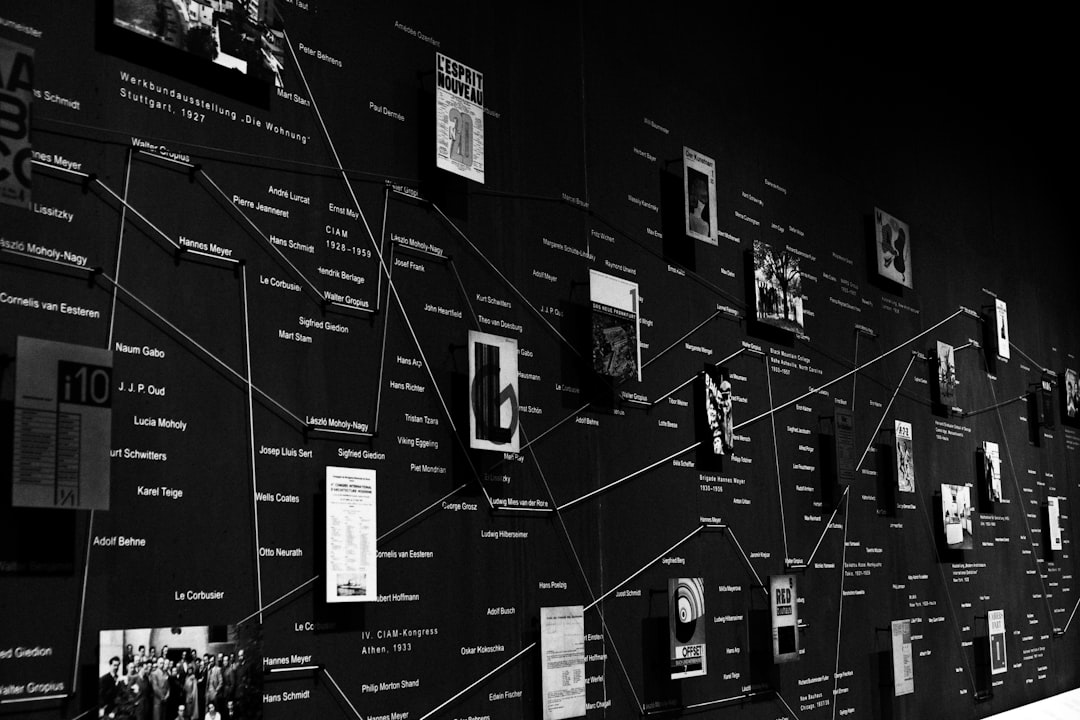
You're sitting in a conference room, about to present your project's progress to executives and stakeholders. You pull up a static Gantt chart or a basic spreadsheet, and you watch the audience's eyes glaze over. The critical milestones, the hard work your team has accomplished, and the exciting roadmap ahead—it all gets lost in a sea of dates and bars. This scenario plays out countless times in businesses, educational institutions, and organizations worldwide.
Here's the truth: In today's visually-driven world, how you present your timeline matters just as much as the timeline itself. Traditional approaches to project visualization fall short. They lack engagement, storytelling power, and the ability to capture your audience's imagination. But what if you could transform that boring timeline into an interactive visual story that captivates your audience and communicates your message with unprecedented clarity?
That's precisely what modern timeline creation tools are designed to do. In this comprehensive guide, we'll explore how you can elevate your project presentations, educational content, and storytelling through interactive timeline creation. We'll walk you through best practices, real-world applications, and show you how to create visual narratives that truly resonate with your audience.
Understanding the Power of Interactive Timelines
Why do traditional timelines fail to engage? Most conventional timeline presentations rely on static images, spreadsheets, or basic charts. These formats make it difficult for audiences to understand context, causality, and the broader narrative arc of your project or story.
Interactive timelines, in contrast, offer a fundamentally different experience. They transform chronological information into engaging visual stories that audiences can explore, understand, and remember. When you make a timeline interactive, you're not just presenting facts—you're creating an experience.
The Psychology of Visual Storytelling
Furthermore, there's solid psychology behind why visual storytelling works so effectively. Research consistently shows that people retain information better when it's presented visually combined with narrative elements. In particular, interactive elements increase engagement and information retention by allowing audiences to explore content at their own pace.
Interactive timelines leverage several cognitive advantages:
- Visual processing: Our brains process visual information 60,000 times faster than text
- Engagement through interactivity: Users who can click, explore, and interact with content show significantly higher engagement rates
- Narrative structure: Stories with clear chronological progression are easier to remember and understand
- Emotional connection: Well-designed timelines can evoke emotional responses that make information stick
Common Challenges With Traditional Timeline Creation
Before diving into solutions, let's examine the specific pain points that organizations and educators face when creating timelines.
Design and Technical Barriers
For most professionals, creating visually appealing timelines requires either hiring a designer or learning complex design software. Conversely, many existing timeline tools demand technical expertise that non-technical team members simply don't possess. Additionally, the time investment required to create even a basic timeline manually can be substantial.
Consider a marketing director who needs to create a company history timeline for a website. Without design skills, they face a difficult choice: spend hours learning design software, hire an expensive designer, or settle for a basic, uninspiring timeline. Neither option is ideal.
Collaboration Difficulties
Furthermore, managing timeline creation across teams presents another significant challenge. When team members work independently on timeline content, inconsistencies emerge. Meanwhile, incorporating feedback from multiple stakeholders becomes cumbersome and time-consuming without a collaborative platform.
Integration and Flexibility Issues
Additionally, once you've created a timeline, how do you actually use it? Can you embed it in your website? Export it for presentations? Share it with external parties? Traditional timeline creation methods often leave users stranded with formats that don't integrate smoothly into existing workflows.
Key Features to Look for in a Timeline Creator
When selecting a timeline creation tool, certain features prove essential for creating truly professional, engaging results. Let me break down what separates premium timeline creators from basic alternatives.
Intuitive Interface and Design Templates
First and foremost, the tool should feature an intuitive drag-and-drop interface that doesn't require design experience. Professional, pre-designed templates dramatically accelerate the creation process while ensuring your timelines look polished and professional. These templates should be customizable, allowing you to maintain brand consistency without extensive design work.
Rich Media Support and File Libraries
In addition, robust timeline creators should support various media types. Specifically, you'll want to incorporate images, videos, audio clips, and documents directly into your timeline events. Built-in file libraries or easy media importing ensures you're not spending hours hunting for or uploading assets.
Real-Time Collaboration Capabilities
Moreover, team-based timeline creation demands collaboration features. Look for tools offering:
- Shared editing: Multiple team members can work simultaneously
- Comments and suggestions: Streamline feedback without cluttering the main timeline
- Version history: Track changes and revert if needed
- Permission controls: Manage who can view, edit, or comment on timelines
Flexible Export and Embedding Options
Subsequently, your timeline should go beyond the tool itself. Premium creators offer multiple export formats including:
- High-resolution images for presentations
- Word documents for reports
- Interactive HTML for websites
- PDF files for sharing with stakeholders
Practical Applications Across Industries
Education and Historical Content
To illustrate the real-world impact, consider how educators leverage interactive timelines. Teachers creating history lessons can transform dry historical events into engaging narratives. Students studying World War II, for example, can explore a timeline showing key battles, technological innovations, and political events simultaneously, understanding how these elements interconnected.
Interactive historical timelines increase student engagement significantly. Rather than passively reading about events, students actively explore them, developing deeper understanding and retention.
Project Management and Business Communication
Similarly, project managers face constant pressure to communicate milestones and progress to stakeholders. Traditional Gantt charts tell you when things happen, but interactive project timelines tell the story of why things matter and how they connect.
Specifically, a product manager presenting a roadmap can create an interactive timeline showing:
- Development phases with associated deliverables
- Key milestones that mark progress
- Market context explaining why each phase matters
- Team contributions highlighting individual and departmental achievements
This approach transforms a timeline from a scheduling tool into a narrative device that builds organizational alignment and enthusiasm.
Content Creation and Marketing
For content creators and marketers, timelines serve as powerful storytelling tools. A digital marketing agency might create a timeline showing a client's brand evolution, showcasing how strategic decisions led to market leadership. Conversely, historians and researchers use timelines to present complex narratives involving multiple parallel storylines and interconnected events.
Step-by-Step Guide to Creating Compelling Interactive Timelines
Ready to create your own timeline? Here's a practical framework you can follow.
Step 1: Define Your Timeline's Purpose and Audience
Before creating anything, clarify your objectives. Ask yourself:
- What story am I telling with this timeline?
- Who is my primary audience?
- What action or understanding do I want to achieve?
- How long should the timeline span?
A project timeline for internal stakeholders might emphasize progress and achievement. Conversely, a customer-facing timeline explaining your company's growth might emphasize innovation and market impact.
Step 2: Gather and Organize Your Information
Next, compile all relevant information chronologically. Don't worry about perfection at this stage—just gather your raw material. Organize events with:
- Dates or time periods
- Event titles and descriptions
- Associated media (images, videos, documents)
- Key metrics or achievements you want to highlight
- Relevant details about context or impact
Step 3: Identify the Narrative Arc
Furthermore, consider the broader story your timeline tells. Rather than simply listing events, identify:
- The beginning: What sets up your timeline?
- Key turning points: Which moments represent major shifts?
- The climax: What's the most important achievement or event?
- The resolution: Where does your timeline lead?
This narrative structure, even in a factual timeline, dramatically improves engagement.
Step 4: Select Your Visual Design
Then, choose a design template that aligns with your brand and message. Consider:
- Color scheme: Does it evoke the right emotional response?
- Typography: Is it professional and readable?
- Layout: Does it guide the viewer's eye effectively?
- Visual hierarchy: Are important events appropriately emphasized?
Step 5: Incorporate Media Strategically
Additionally, enhance your timeline with visual elements. Rather than adding media randomly, use images and videos to:
- Illustrate key events or milestones
- Show transformations or progress
- Build emotional connection through visual storytelling
- Break up text and improve readability
Step 6: Collaborate and Gather Feedback
Subsequently, share your timeline with stakeholders for input. Collaborative features allow team members to:
- Comment on specific events
- Suggest edits directly within the timeline
- Add missing information seamlessly
- Approve the final version before sharing
Step 7: Export and Share
Finally, export your timeline in the format that best suits your needs. Whether you're embedding it in a website, including it in a presentation, or sharing it via email, the right export option ensures your timeline looks perfect in its final context.
How AI-Powered Timeline Generation Streamlines the Process
Here's where modern technology genuinely transforms the game. Artificial intelligence is beginning to reshape timeline creation, making it faster and more accessible than ever.
Specifically, AI-powered timeline generation can:
- Analyze source material and automatically extract key dates and events
- Suggest logical structure based on the content's natural narrative arc
- Generate descriptions for events, reducing manual writing
- Recommend visual elements that pair well with specific events
- Optimize timeline layout for maximum clarity and engagement
This means you can go from raw information to a sophisticated timeline in a fraction of the traditional time. Hence, what once took hours or days can now be accomplished in minutes.
However, it's important to note that AI enhancement doesn't replace human judgment. Rather, it augments human creativity by handling routine tasks, allowing you to focus on storytelling, customization, and ensuring accuracy.
Real-World Success Stories
To demonstrate the tangible impact, let's examine how different professionals leverage interactive timelines.
Product Management Success
A product manager at a growing SaaS company needed to present the company's five-year roadmap to investors. Rather than relying on a traditional slide deck, they created an interactive timeline showing:
- Product launch dates and major feature releases
- Market milestones and user growth metrics
- Competitive positioning at different points in time
- Future vision and strategic initiatives
The result? The interactive timeline became the centerpiece of investor presentations, making the company's strategic clarity and execution capability immediately apparent. Subsequently, investor engagement and confidence increased measurably.
Educational Impact
An educator at a high school district wanted to transform their history curriculum to increase engagement. They created interactive timelines for major historical periods, allowing students to:
- Explore events in any order, not just chronologically
- Click on events to read detailed narratives and see primary sources
- Understand how political, cultural, and technological developments intersected
- Connect historical events to modern contexts
The outcome was remarkable: student engagement increased, test scores improved, and students developed deeper understanding of historical causality and interconnection.
Marketing and Branding
A digital marketing agency created a timeline showcasing a client's brand evolution over 25 years. The interactive timeline featured:
- Company founding and early struggles
- Key pivotal moments that changed trajectory
- Product innovations and market expansions
- Customer testimonials and achievements at different periods
Used on the company website and in client presentations, the timeline effectively communicated the brand's journey and built emotional connection with customers.
Best Practices for Maximum Impact
To ensure your timelines truly captivate your audience, follow these proven best practices.
Balance Information Density
First, remember that more information isn't necessarily better. Conversely, too little detail leaves audiences wanting more. Strike a balance by:
- Highlighting key events prominently
- Providing brief descriptions that capture essential context
- Offering deeper details to those interested enough to explore further
- Avoiding text overload that discourages engagement
Use Consistent Formatting
Furthermore, consistency builds credibility and improves readability. Standardize:
- Date formats across your entire timeline
- Event description length and structure
- Color usage for different event categories
- Typography and text styling
Tell a Clear Story
Moreover, remember that your timeline isn't just a repository of facts—it's a narrative tool. Hence, ensure that:
- Events connect logically, showing causality and progression
- The overall arc points toward a meaningful conclusion
- Visual hierarchy guides viewers to the most important information
- The pacing allows adequate engagement with each major event
Optimize for Your Medium
Additionally, consider how your timeline will be viewed. A timeline embedded in a website needs different optimization than one projected in a presentation or printed in a report. Therefore:
- Adjust width and height for the intended viewing context
- Test responsiveness if it will be viewed on different devices
- Choose colors appropriate for your presentation medium
- Ensure legibility at the actual viewing distance and size
Addressing Common Questions About Timeline Creation
How Much Time Does Timeline Creation Actually Take?
In particular, timeline creation time varies dramatically based on complexity and tool choice. A simple timeline with 5-10 events might take 30 minutes to an hour. Conversely, a comprehensive timeline with 50+ events, extensive media, and detailed descriptions could take several hours.
However, using a purpose-built timeline creator dramatically reduces this time compared to building timelines from scratch in design software. Specifically, modern timeline tools with templates and automation features can cut creation time in half or more.
What's the Learning Curve?
Good news: intuitive timeline creators are designed for minimal learning curves. Most people can create a basic timeline within minutes of starting. Nevertheless, mastering advanced features like collaboration workflows or optimization for specific contexts might take a bit longer.
Can I Update My Timeline Later?
Absolutely. One advantage of digital timelines is their flexibility. You can add events, update information, change designs, and adjust details at any time. This makes timelines ideal for ongoing projects where milestones and progress change regularly.
How Do I Ensure Timeline Accuracy?
Furthermore, accuracy is paramount, particularly for historical or business content. Therefore:
- Verify all dates before adding them to your timeline
- Cross-reference information against reliable sources
- Have subject matter experts review for accuracy
- Use the collaboration features to gather input from knowledgeable colleagues
- Document your sources if the timeline will be shared with others
Choosing the Right Timeline Creator for Your Needs
When evaluating timeline creation platforms, consider these critical factors.
Assessment Criteria
Technical capabilities: Does the tool offer the features you actually need? Don't pay for advanced features you won't use, but ensure essential capabilities are included.
Ease of use: Can your team members realistically create timelines without extensive training?
Design quality: Do the templates produce professional-looking results that align with your brand?
Collaboration features: If team-based creation matters to you, are collaboration tools genuinely useful?
Export flexibility: Can you export in formats that suit your needs?
Support and resources: Is help available when you get stuck?
Pricing structure: Does the cost align with your budget and the value you'll receive?
Free vs. Paid Options
Many timeline creators operate on a freemium model, offering basic functionality for free while reserving advanced features for paid tiers. This approach lets you test whether the tool suits your workflow before financial commitment. Nevertheless, if you need advanced features like team collaboration or premium export options, a paid subscription likely makes sense.
The Future of Timeline Creation
Looking ahead, several trends are shaping the future of how we create and interact with timelines.
AI Integration
Undoubtedly, artificial intelligence will play an increasingly important role in timeline creation. Beyond basic automation, AI may eventually:
- Understand complex narratives and suggest optimal timeline structures
- Generate more sophisticated descriptions based on source material
- Predict which visual elements will most effectively convey meaning
- Adapt timelines in real-time based on audience responses
Enhanced Interactivity
Subsequently, expect timelines to become increasingly interactive. Future timelines might feature:
- Branching narratives showing "what if" scenarios
- 3D visualization of complex, multi-layered timelines
- VR and AR experiences for immersive historical or project exploration
- Real-time data integration for live-updating timelines
Mobile Optimization
Moreover, as mobile devices dominate content consumption, timeline creators will increasingly optimize for mobile viewing. This includes responsive design, touch-friendly interactions, and mobile-first design approaches.
Conclusion: Transform Your Communication Today
The evidence is clear: interactive visual timelines represent a quantum leap forward in how we communicate information, tell stories, and engage audiences. Whether you're a project manager presenting milestones to stakeholders, an educator bringing history to life for students, or a content creator enhancing your storytelling, interactive timelines offer a powerful solution.
The days of boring, static timelines are numbered. Modern audiences expect visual engagement, interactive elements, and narratives that connect with them emotionally and intellectually. By leveraging contemporary timeline creation tools—particularly those incorporating AI-powered features and collaborative capabilities—you can transform your communication entirely.
Your Next Steps
Ready to create your first interactive timeline? Here's what to do:
- Identify your use case: What story do you want to tell with your timeline?
- Gather your information: Compile the events, dates, and media you'll need
- Choose your tool: Select a timeline creator that matches your needs and technical comfort level
- Experiment with templates: Explore design options until you find one that resonates
- Create and collaborate: Build your timeline, involve your team, and gather feedback
- Export and share: Get your timeline into the hands of your audience in the format that works best
Timeline Creator offers an excellent solution combining intuitive design, professional templates, collaborative features, and AI-powered timeline generation capabilities. With its user-friendly interface and powerful feature set, it's designed specifically to help professionals, educators, and content creators like you transform chronological information into captivating visual narratives.
Your timelines don't have to be boring. By embracing modern timeline creation tools and storytelling principles, you can create visual experiences that engage, inform, and inspire your audience. The technology is here. The tools are ready. The only question remaining is: what timeline will you create today?
